
Short answer: Meta Ads has six campaign objectives: Awareness, Traffic, Engagement, Leads, App promotion and Sales. Choose the one that matches the result you want. Then select where the action should happen (the conversion location) and what Meta should optimise for (the performance goal).
Pick the objective that matches the action you want, not the one that sounds closest. The available locations and goals can vary by objective, campaign setup, account and country, so check the options Ads Manager shows you.
The six Meta ads objectives at a glance
| Objective | Use it when you want | Typical goals |
|---|---|---|
| Awareness | People to see and remember your brand | Reach, impressions, ad recall lift, ThruPlay views |
| Traffic | People to visit a destination | Link clicks, landing page views, Instagram profile visits, calls |
| Engagement | People to interact with your content or message you | Post engagement, Page likes, event responses, conversations |
| Leads | Enquiries, form fills or calls | Leads, conversion leads, calls |
| App promotion | App installs and in-app actions | App installs, app events |
| Sales | Purchases or other valuable website or app actions | Conversions, value of conversions |
Meta consolidated its older list of campaign objectives into six outcome-based options. The objective names the result you want, while the ad format is chosen separately.
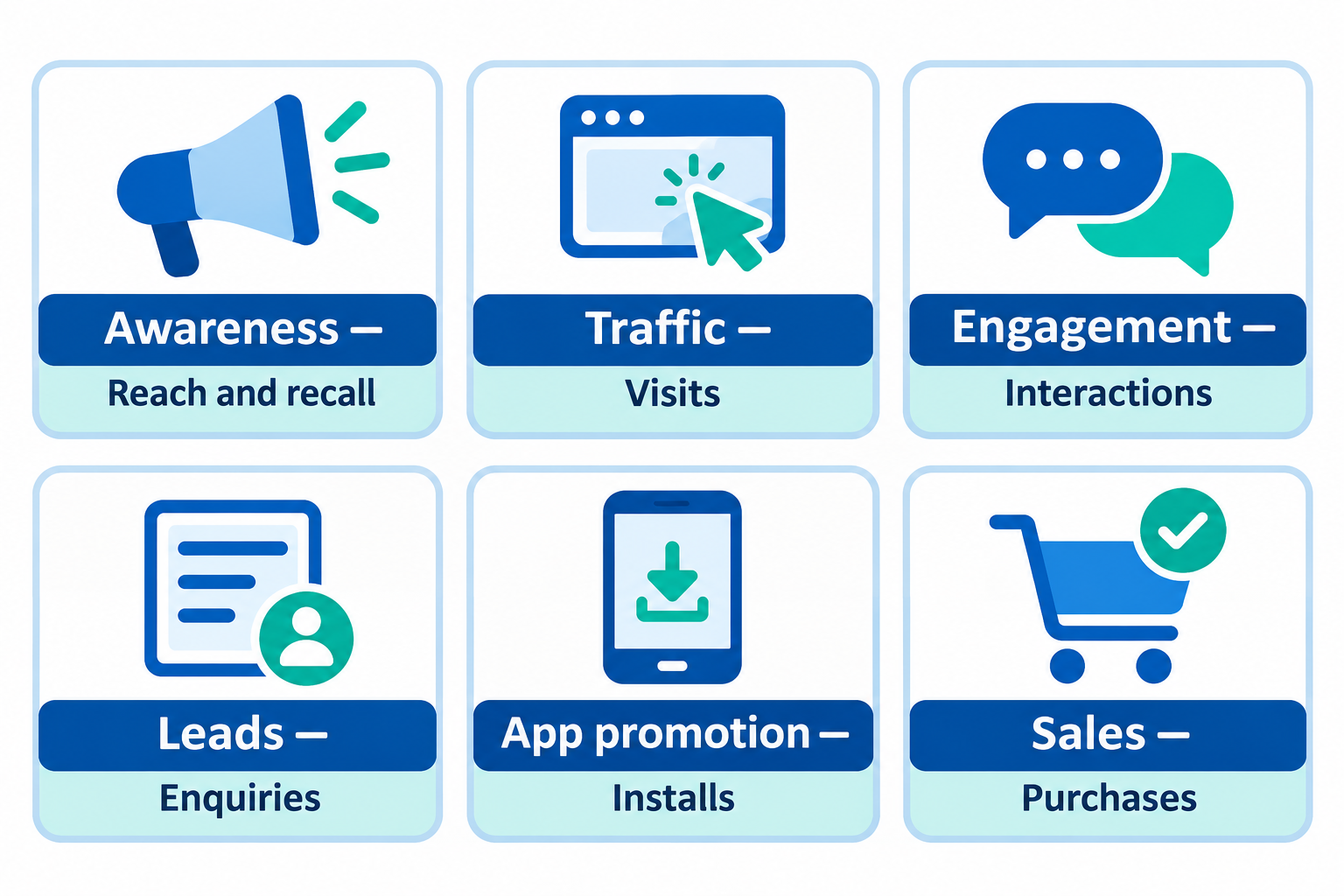
Objective, conversion location and performance goal
These three terms can be confusing:
- Objective: The overall result you want, such as Leads.
- Conversion location: Where the result happens, such as an Instant Form, website, Messenger, WhatsApp or phone call.
- Performance goal: The action Meta tries to get more of, such as leads or calls.
The objective determines which locations and performance goals are available. Change the objective and the options can change. Some goals, such as impressions, may appear under more than one objective; choose based on the result you actually want.
Awareness
What it is: Show your ads to as many of the right people as possible, with the aim of helping them remember your brand.
Good for: Reaching new people in a city or area, building brand recall for a new business or launch, and video views.
Typical goals: Reach, impressions, ad recall lift, ThruPlay views and 2-second continuous video views.
Choose Awareness when: The aim is to be seen and remembered, rather than to get an immediate action. Reach and ad recall lift are associated with this objective.
Watch out: Awareness is not designed to chase clicks, leads or sales. Do not judge it only by those numbers.
Traffic
What it is: Send people to a destination, such as a website, app or Instagram profile.
Typical goals: Link clicks, landing page views, Instagram profile visits, conversations, calls, impressions and daily unique reach. The available choices depend on your setup.
Choose Traffic when: You want people to visit a blog, landing page, app or profile, and the visit itself is the result you want.
Watch out: Traffic goals optimise for clicks and visits. A visit is not the same as a lead or sale. If you need enquiries or purchases, Leads or Sales may fit better.
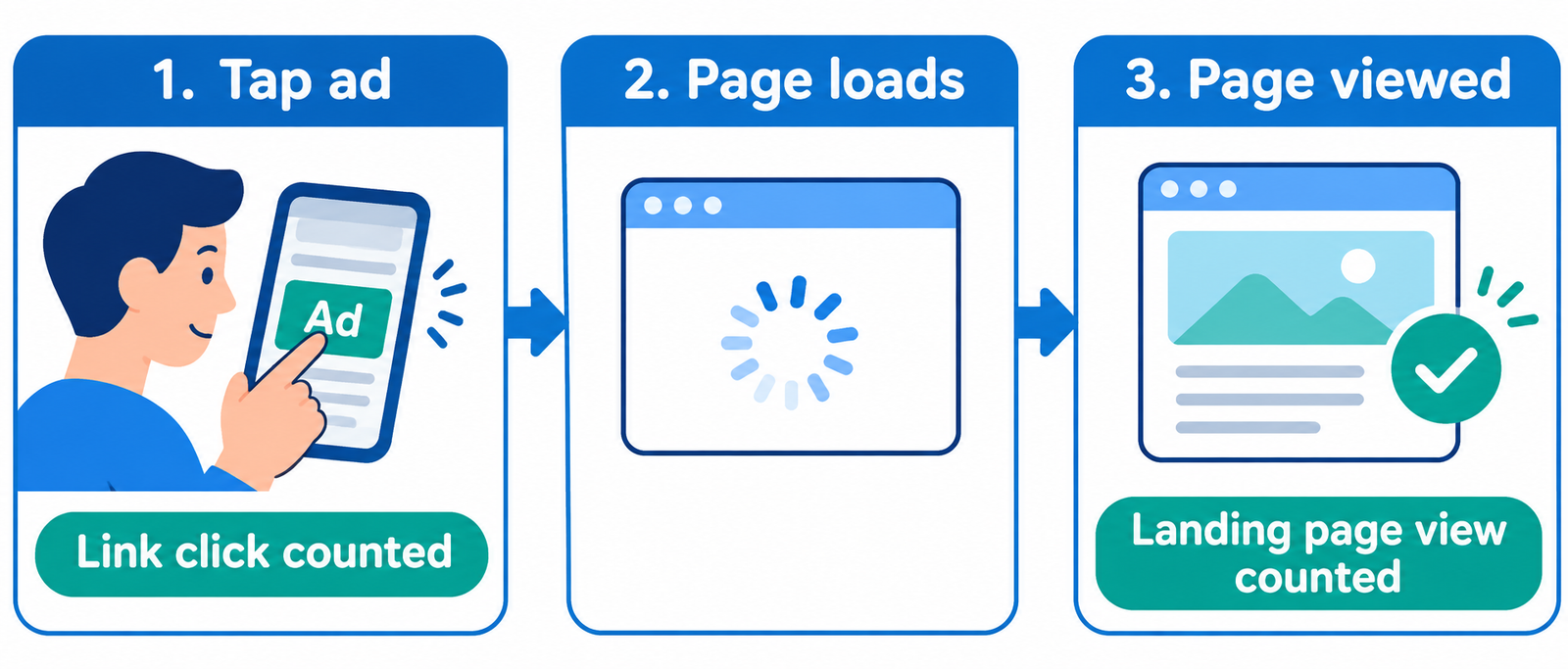
Link clicks or landing page views?
A link click counts the tap on your ad’s link. A landing page view counts a visit after the destination page has loaded. If your website is slow, the number of clicks and landing page views can be quite different.
Engagement
What it is: Get people to interact with your content or Page, or start a conversation.
Good for: Post engagement (likes, comments and shares), Page likes, video views, event responses, and starting conversations in Messenger, Instagram or WhatsApp.
Typical goals: Engagement with a post, Page likes, event responses, conversations, ThruPlay and 2-second video views, link clicks, landing page views, conversions and app events.
Choose Engagement when: You want social proof on a post, a larger Page audience, event interest or chat starts.
Watch out: Meta looks for people likely to take the action you selected. Likes and comments can build interaction, but they do not automatically turn into customers.
Leads
What it is: Collect enquiries from people who are interested in your offer.
Good for: Instant Forms that open inside Facebook or Instagram, Messenger and Instagram chats, calls, and website lead actions.
Typical goals: Leads, conversion leads, conversions, calls, landing page views, link clicks and conversations.
Choose Leads when: Your business closes sales after an enquiry. This can suit clinics, coaching classes, real estate, salons, interior designers and local services.
Watch out: Instant Forms are easy to fill, so some leads may have low intent. Add a question that helps qualify the enquiry and follow up quickly.
App promotion
What it is: Encourage more people to install and use your app.
Good for: App installs and in-app actions such as sign-ups or purchases.
Typical goals: App installs and app events. Depending on setup, value of conversions or link clicks may also appear.
Choose App promotion when: You have a mobile app and an install or in-app action is the result you want.
Watch out: This objective is designed for app results. If you only want website results, consider one of the other objectives.
Sales
What it is: Encourage people to take valuable actions, usually purchases.
Good for: Online store purchases, add-to-cart and checkout events, higher-value purchases, website and app conversions, and sales through messaging apps or calls.
Typical goals: Conversions, value of conversions, landing page views, link clicks, conversations, calls, impressions, daily unique reach and app events, depending on campaign setup.
Choose Sales when: A tracked action on your website or app is the result you want. Make sure your Pixel or conversion events are set up properly.
Conversions or value of conversions?
Conversions aims to get more purchase actions. Value of conversions aims to find higher-value purchases, which can suit stores with different order sizes.
Watch out: Without conversion tracking, the Sales objective has less useful information to optimise around. Set up and check tracking before spending heavily.
Once tracking works, you can also show ads again to people who already visited your site. Read how to run retargeting ads on Facebook (Meta Ads).
How to choose the right Meta ads objective
Start with the business result you want, then choose the objective that matches it.
| If your real aim is… | Start with |
|---|---|
| People in my area should know my shop | Awareness |
| People should read my blog or landing page | Traffic |
| I want more likes, comments or chat starts | Engagement |
| I need enquiries or calls | Leads |
| I want app installs | App promotion |
| I want orders on my website | Sales |
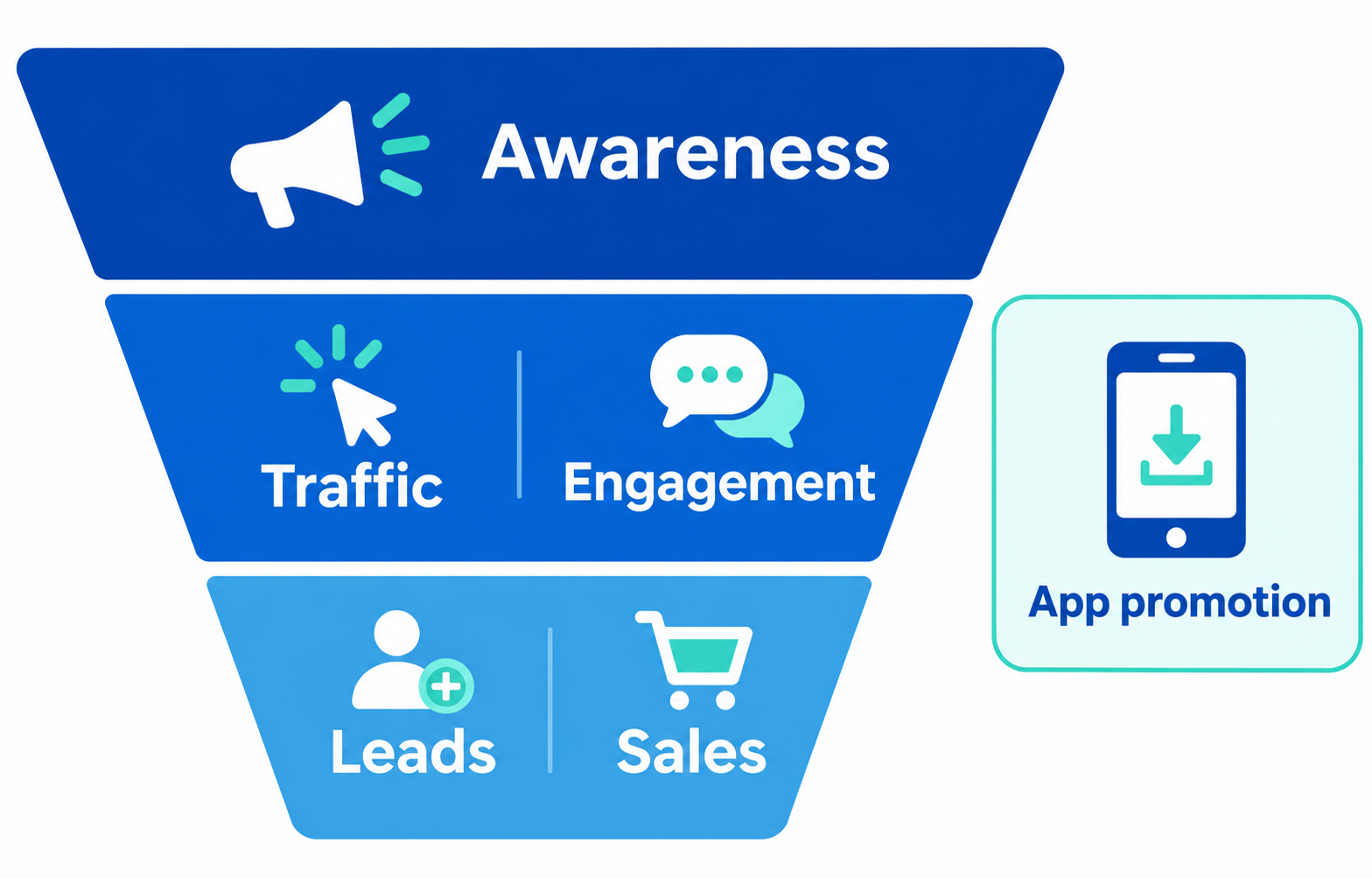
For example, a small furniture shop in Chennai spending ₹500 a day could use Awareness to tell people the shop exists, Traffic to bring people to a product page, Leads to collect enquiries for custom orders, and Sales to sell from an online catalogue. The same business can use different objectives at different stages.
Not sure how much to spend per day? See our guide to the budget for Facebook (Meta) ads in India in 2026.
Common mistakes when choosing a Meta ads objective
Choosing Traffic for leads: You may get visits rather than enquiries. Use Leads or Sales when those are the result you need.
Choosing Engagement to get customers: Likes and comments are not purchases.
Judging Awareness by sales: It is not designed to chase immediate sales.
Running Sales without tracking: Set up and check conversion tracking first.
Picking an objective by its name alone: Read the “Good for” panel and review the available goals before you choose.
The takeaway
Choose the objective that matches the action you want. Then pick the conversion location and performance goal that fit that result. If you are unsure, start with the business outcome: be seen, get visits, encourage interaction, collect enquiries, get app installs or make sales.